Introducing Metric Jump: lab-grade vertical jump testing from your phone
Metric Jump turns an ordinary phone into a vertical jump analyser. It tracks your centre of mass through the air, auto-classifies every jump, and gives you height, reactive strength and asymmetry without a force plate, mat or wearable.
For years, properly measuring a vertical jump meant owning a force plate. Thousands of dollars, fixed to one spot, and a wall of numbers most coaches never act on. The cheaper options, jump mats and reach tests, are easy to fool and easy to misread.
We thought the phone in your pocket could do better. So we built Metric Jump.
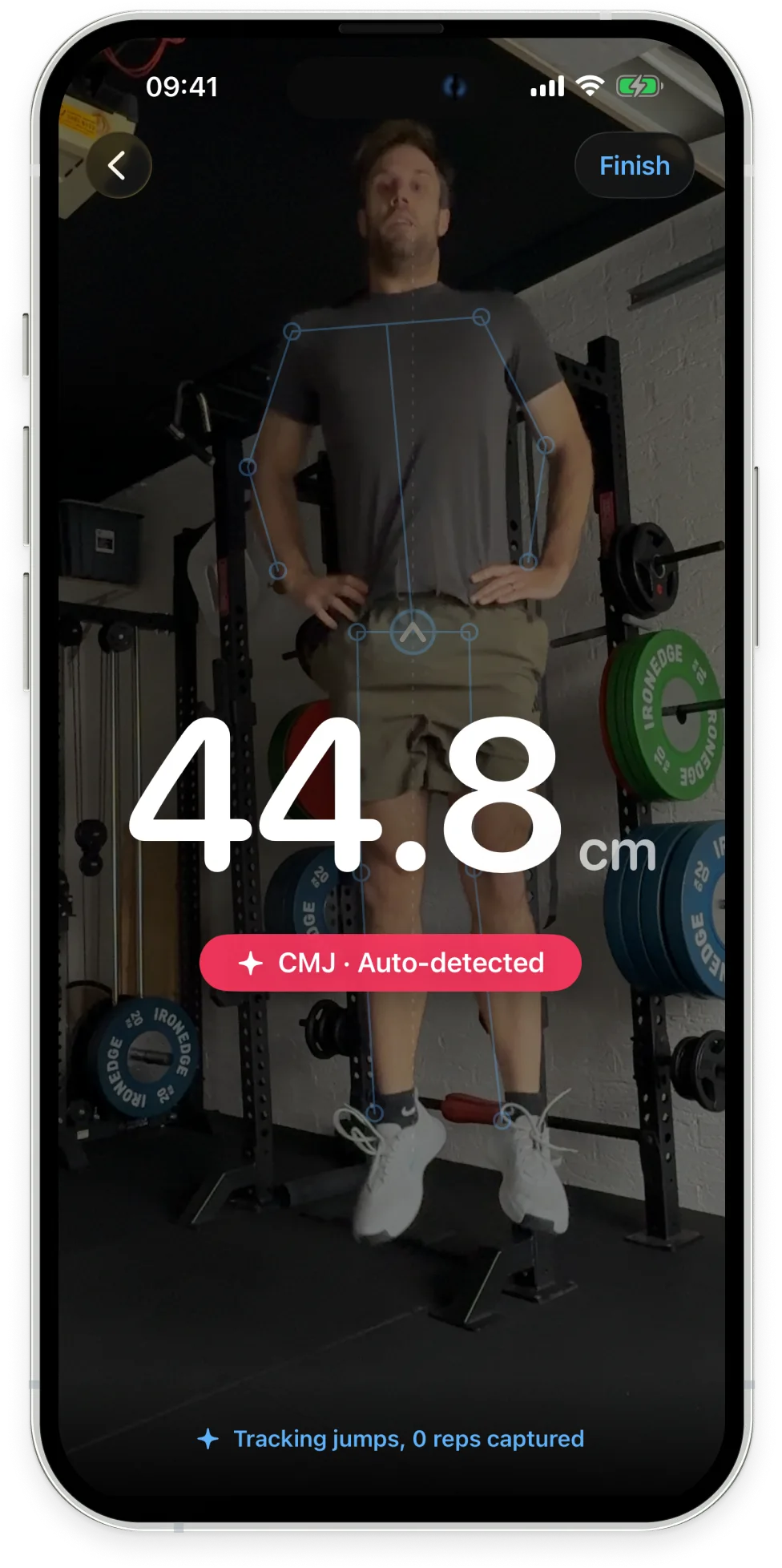
Metric Jump measures your vertical jump with the camera alone. Stand in frame, hold still for a moment, and jump. You get your height the instant you land, plus reactive strength, takeoff velocity and a full breakdown of the set afterwards. No force plate, no jump mat, no wearable, no tape on the floor.
It’s a separate app, now live on iOS.

How a phone can measure how high you jump
When you jump, your body becomes a projectile. The instant your feet leave the ground nothing is pushing you up any more, so gravity takes over and traces a perfectly predictable arc. If we know how fast you left the ground, we know exactly how high you went.
The trick is measuring the right thing. Metric Jump tracks your body’s centre of mass, the single balance point that all your weight effectively acts through. It isn’t your head or your hips or any one spot you could tap. It’s the weighted average of your whole body, and it’s the point that physics actually follows through the air.
That choice matters, because the centre of mass can’t be gamed. Tuck your knees at the top and your head goes higher without you jumping any higher. A jump mat would reward that. The centre of mass won’t. It’s the honest measure of how much work your body did against gravity.
Gravity does the calibration for us
Here’s the part we’re most proud of. Gravity is the same everywhere on the planet, exactly 9.81 metres per second squared. So when we watch your body fall through the air, we already know what we should be seeing. If the numbers come back slightly off, that tells us precisely how to correct the measurement.
In effect, every jump calibrates itself against a law of physics. That’s how a device in your hand can get within touching distance of equipment that costs thousands. It isn’t magic, and a clean setup still matters, but it’s a genuinely different approach to getting an accurate number off a camera.
It knows which jump you did
You don’t pick a mode before you test. Metric Jump watches how you move into and out of each jump and classifies it on the fly: countermovement jump, paused squat jump, Abalakov with an arm swing, or a single-leg effort.
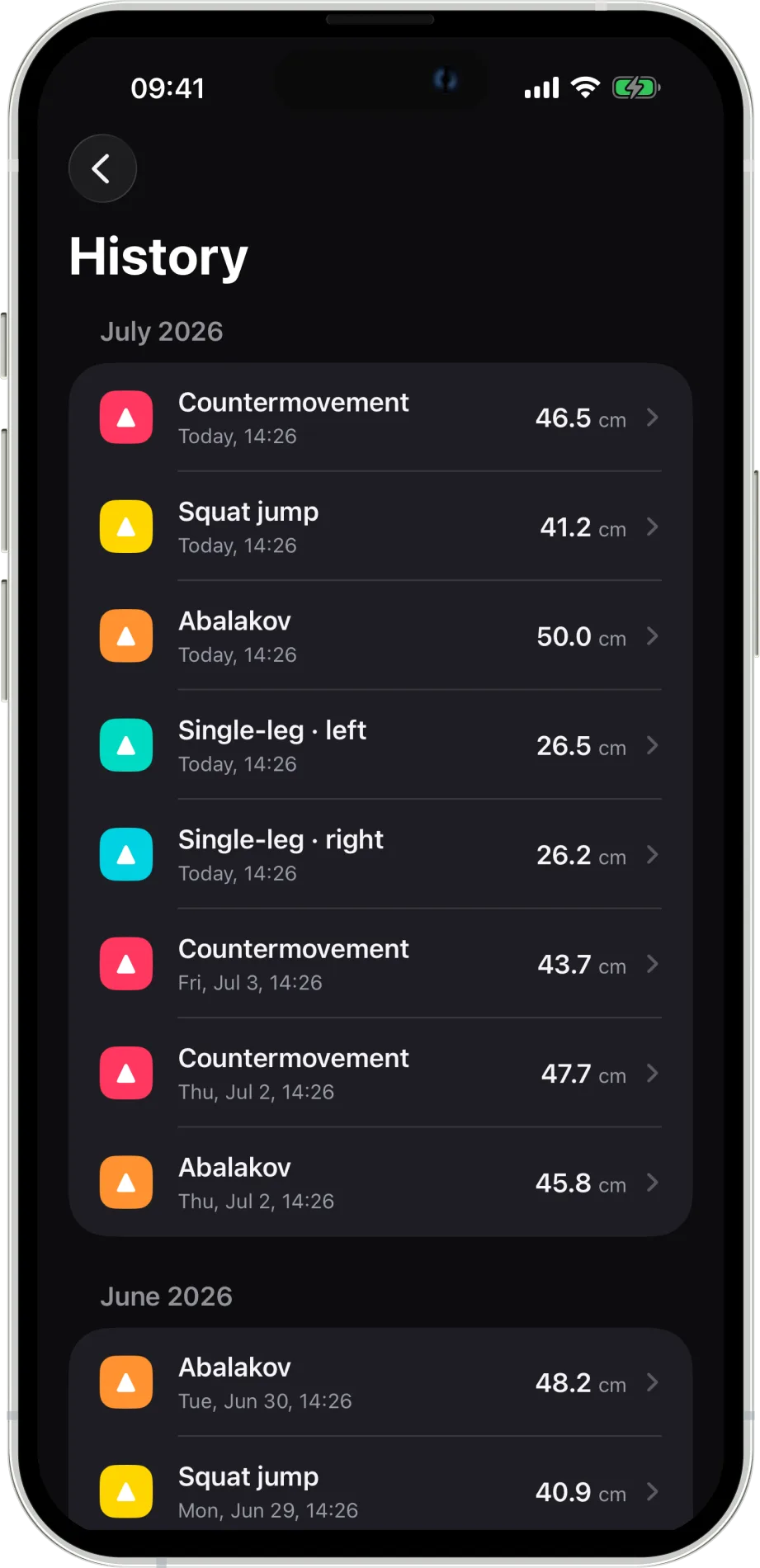
That means a mixed set sorts itself out. Throw in a couple of CMJs, a squat jump and a single-leg jump on each side, and each rep is labelled correctly and kept in its own history, rather than averaged into mush. It even catches the common cheats, like sneaking a little dip into a squat jump, and relabels them honestly.
We compare your jumps, not just count them
Anyone can print a jump height. The real value shows up when you compare jump types against each other, and that’s where Metric Jump earns its keep. Record the right pair in a set and it builds you a profile:
- Left-right symmetry, from single-leg jumps on both sides. The asymmetry screen that matters most for return-to-play after an injury.
- Eccentric utilisation ratio, from a CMJ against a squat jump. How much free height you’re getting out of your stretch-shortening cycle.
- Arm swing contribution, from an Abalakov against a hands-on-hips CMJ. How much your upper body is adding, and whether your timing is leaving height on the table.
- Bilateral index, comparing your two-leg output against each leg on its own.
One jump gives you a number. Four jump types, compared, give you a profile, and a profile is what you actually program against. You can dig into all of these in the jump analytics guide.
Every number we show, we can defend
You won’t find peak power or rate of force development on the screen. They look impressive on a spec sheet, but from a camera they read off a noisy signal and can’t be tracked reliably enough to train off. We’d rather leave a number out than print one you can’t trust.
So we lead with the metrics that hold up: jump height, takeoff velocity, reactive strength and impulse, plus the composite scores that turn them into a decision. If we show it, we’ll stand behind it.
Built on a foundation that already works
Metric Jump didn’t start from scratch. It’s built on the same engine as Metric Lift (formerly Metric VBT), our barbell tracking app that coaches and athletes already trust to measure bar speed in real gyms. The hard-won parts carry straight over: keeping the image sharp when someone’s moving explosively, handling flickering gym lights, and staying locked on the athlete instead of hunting on the background.
On top of that proven imaging foundation, we built an entirely new way of seeing the body, tracking your centre of mass through the air and reading the physics off it.
Get ready to jump
If you coach jumps, screen athletes after injury, or just want to know whether your training is actually moving the needle, Metric Jump puts a serious testing tool in your pocket.
Metric Jump is live on iOS now. The best way to get the most accurate numbers from day one is to nail your setup, so it’s worth a read of how to record a jump before your first session.
Metric Jump is free to try on iOS, with Android to follow. Download Metric Jump on the App Store, or head to the Metric Jump page for the full rundown.